The AI workflow automation platform.
Design, automate and orchestrate business workflows — with AI built into workflow creation and execution.
One Platform for Every Workflow, End to End.
meta-flow.ai is an AI workflow automation platform for designing, running and managing business processes. It brings visual workflow design, reusable activities, application connectors, orchestration, intelligent document processing, triggers, scheduling, AI assistance and AI agents into one platform.
Start with a process, connect the systems involved, automate the repeatable steps and add AI where the process needs reasoning or flexible handling. With AI Agent as a workflow activity, teams can place an AI agent directly inside a workflow to handle complex and unstructured process steps.

Build intelligent workflows from end to end
Bring application automation, workflow logic, orchestration and AI together in one visual platform.
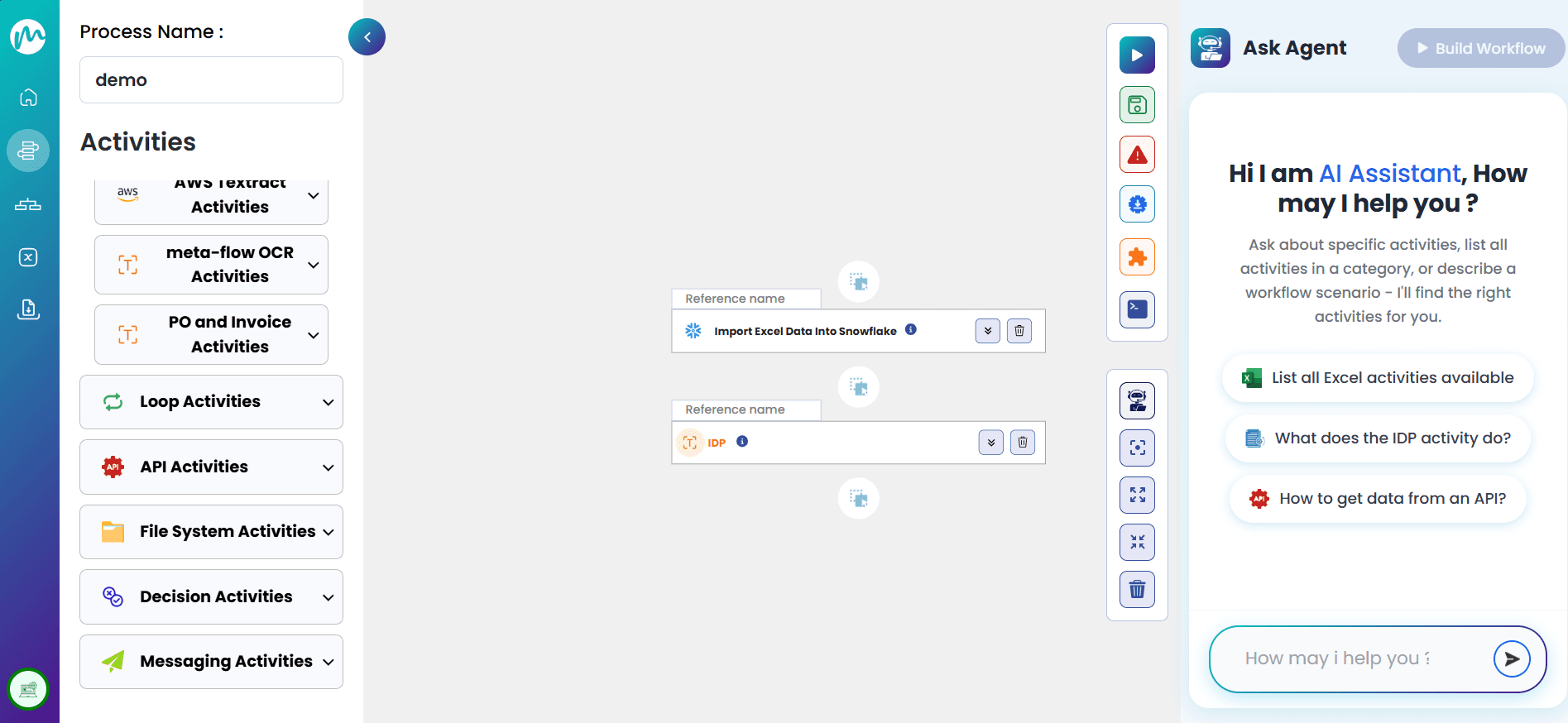
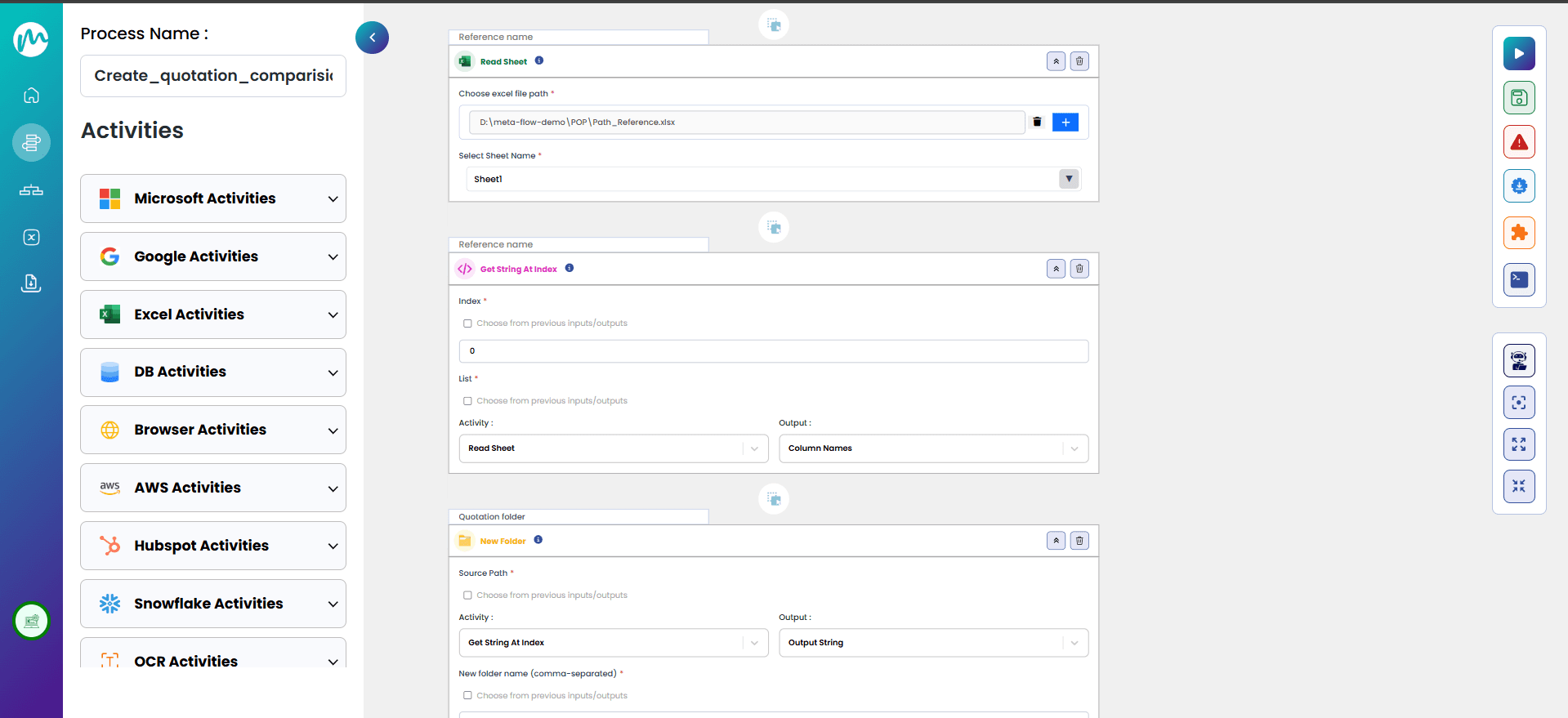
Design Studio
Build workflows visually using activities, connectors, business logic, and AI-assisted workflow creation.
- Design workflows on a visual canvas.
- Use reusable activities to build process steps.
- Use the meta-flow.ai AI Assistant to create and refine workflows.
Hub & Orchestration
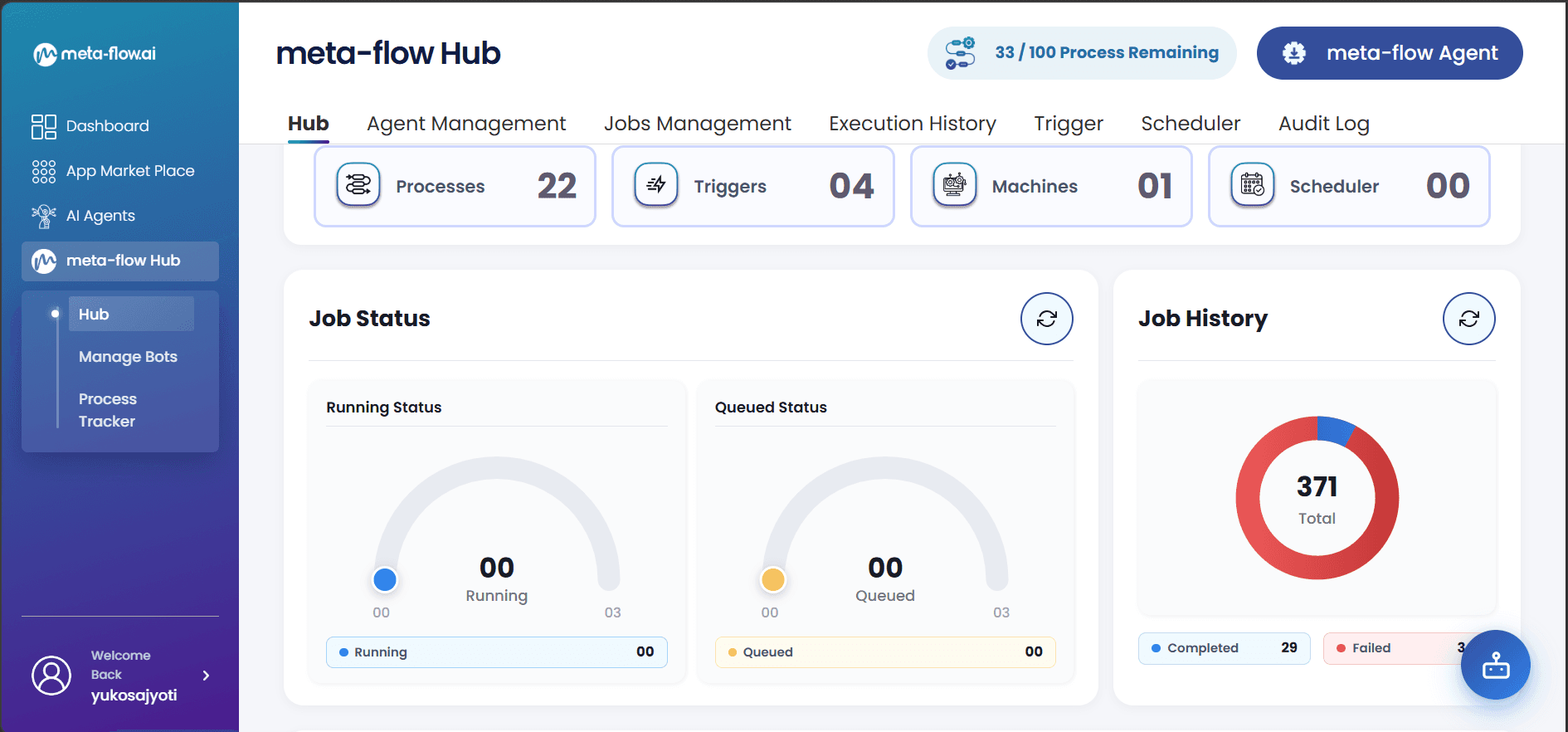
Manage and coordinate workflows from a central platform. Hub provides the foundation for organising and orchestrating automation across processes.
- Manage workflows centrally.
- Coordinate multi-step automation.
- Maintain and operate workflow automation from one platform.
Triggers & Scheduler
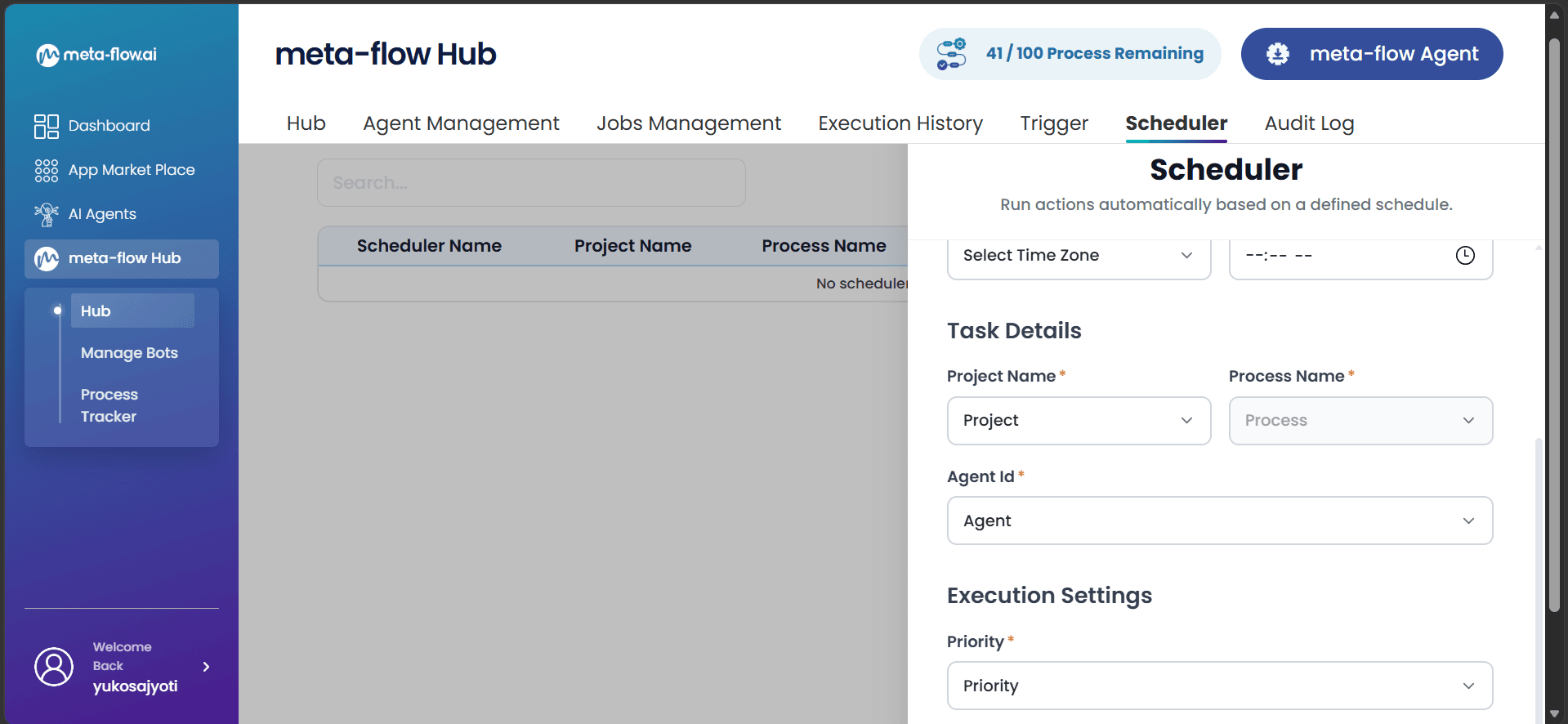
Start workflows automatically when configured events occur or when a scheduled time is reached.
- Configure event-based triggers.
- Schedule recurring workflows.
- Automate processes without manual initiation.
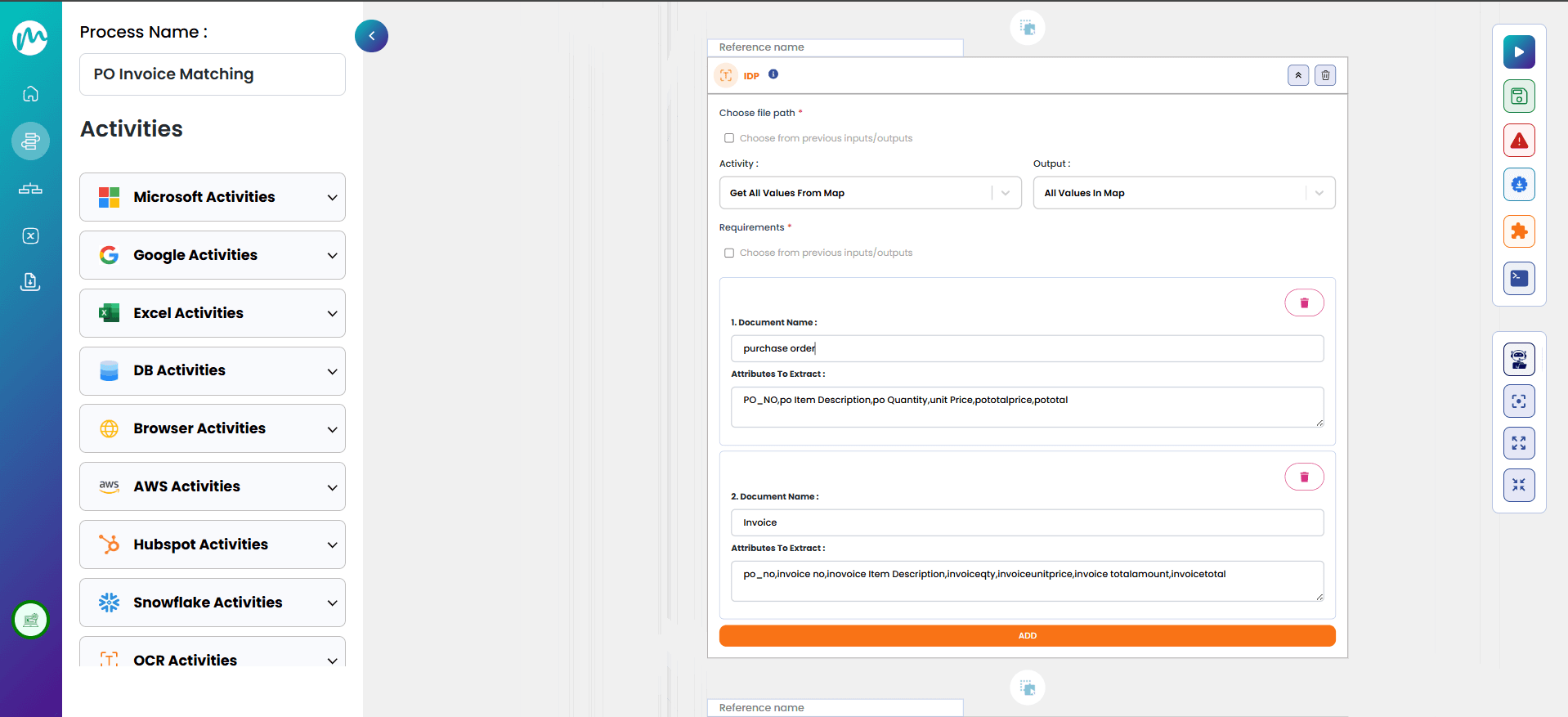
Intelligent Document Processing
Process information from business documents and make structured data available to downstream workflow activities.
- Extract information from business documents.
- Structure document data for workflow use.
- Include document processing in end-to-end automation.
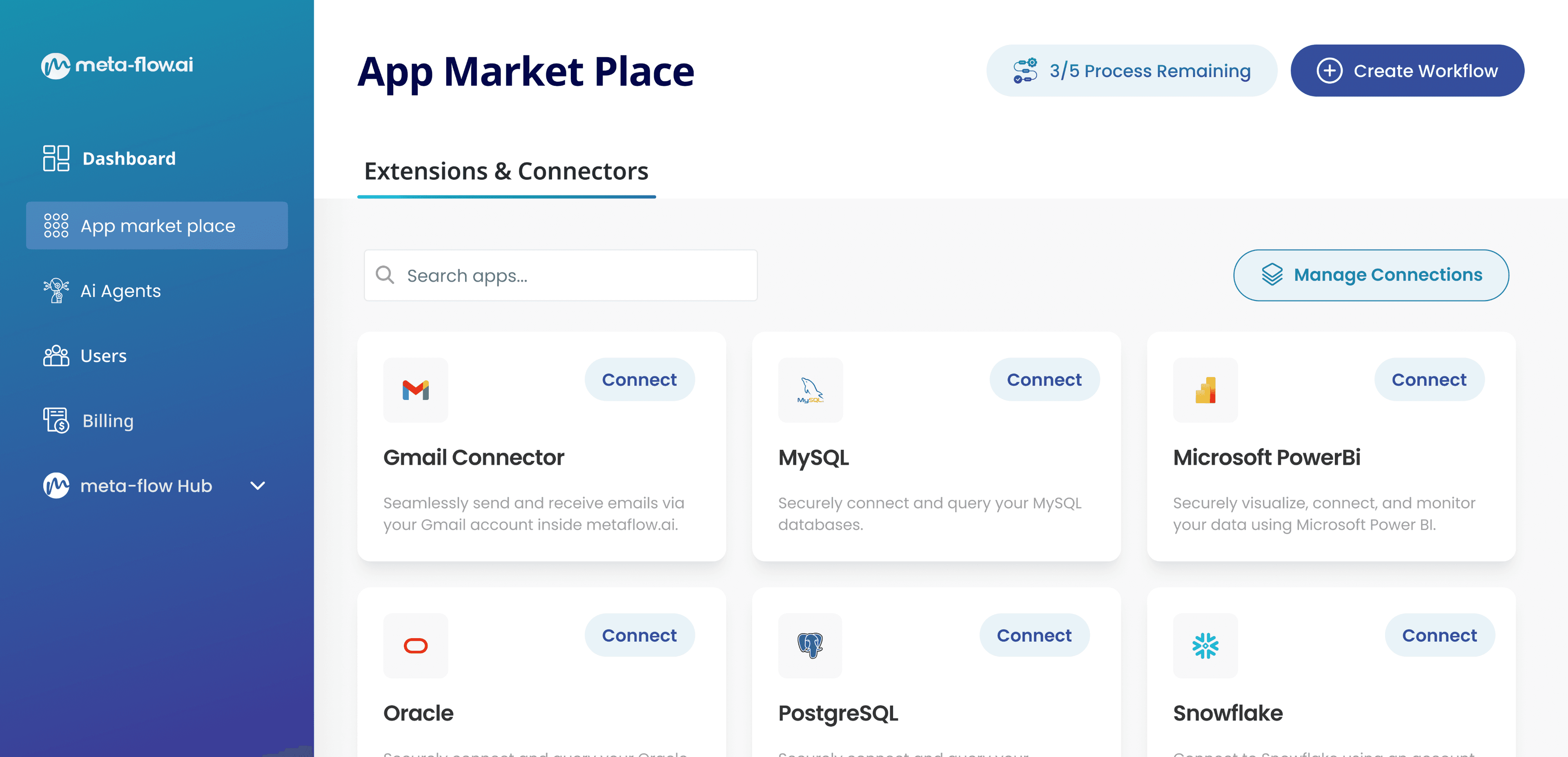
App Marketplace & Connectors
Connect workflows to the applications and systems involved in business processes using connectors and reusable activities.
- Connect business applications.
- Use application-specific activities inside workflows.
- Extend automation across connected systems.
meta-flow.ai AI Assistant
Use natural-language AI assistance while building workflows in Design Studio to ask questions, describe requirements, and accelerate workflow creation.
- Ask questions while designing workflows.
- Describe workflow requirements in natural language.
- Accelerate workflow creation and refinement.
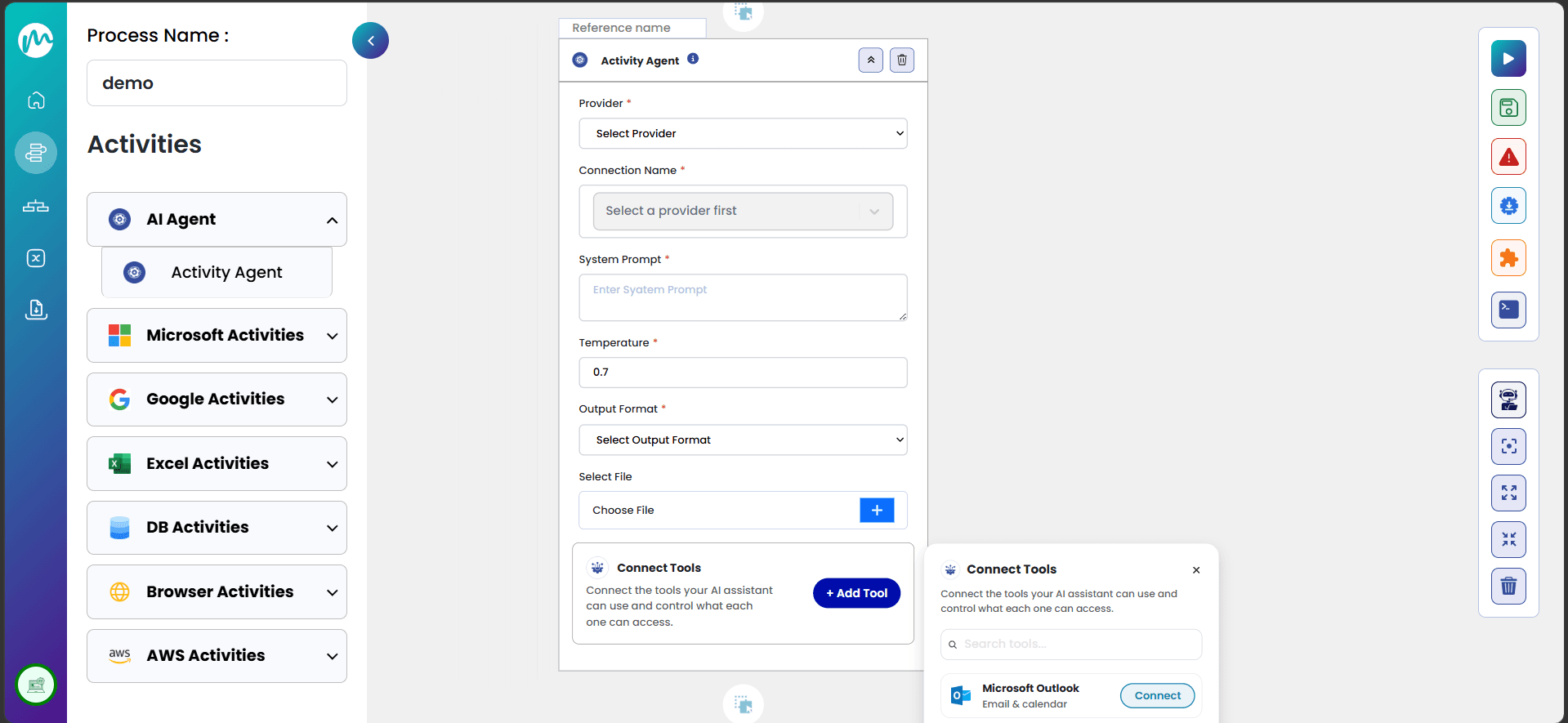
AI Agent as a Workflow Activity
Add an AI agent directly into a workflow for steps that require reasoning, interpretation, or flexible handling of complex and unstructured information.
- Place an AI Agent between workflow activities.
- Handle complex and unstructured process steps.
- Combine workflow logic with agentic automation.
From web automation to agentic workflow automation
meta-flow.ai has evolved from capturing web application interactions into a connected workflow platform with orchestration, AI-assisted workflow building and AI agents embedded directly in workflows.
- April 2025
meta-flow.ai launched with WebRecorder, enabling web application element capture and web-based data-entry workflow automation.
- June 2025
meta-flow.ai Hub introduced centralised workflow management and maintenance.
- August 2025
Major UI/UX upgrade and expansion of workflow activities.
- September 2025
App Marketplace introduced connectors and activities for broader application integration.
- December 2025
Intelligent Document Processing added document intelligence to workflows.
- January 2026
Orchestration capabilities introduced through Hub to coordinate workflows and automation.
- February 2026
Triggers and Scheduler introduced, alongside architecture updates and custom agentic automation for specific use cases.
- March 2026
AI agent introduced in Design Studio to help users ask questions and build workflows; custom agentic automation continued to expand.
- April 2026
30+ connectors available, expanding application integration; custom agentic automation continued for specific use cases.
- May – June 2026
Multiple activities added. Ask & Build evolved into the meta-flow.ai AI Assistant. Custom agentic automation continued to expand.
- July 2026
AI Agent introduced as a workflow activity, allowing AI agents to be placed directly inside workflows to handle complex and unstructured processes.
How It Works
Build workflows visually, connect the systems involved, automate execution and add AI where the process needs it.
 01
01Design
Build the workflow in Design Studio using activities, workflow logic and AI-assisted creation.
Configure
Add connectors, activities, business rules, approvals and document-processing steps.
02
 03
03Trigger
Start the workflow from configured events, schedules or supported workflow entry points.
Orchestrate
Coordinate multi-step activities and workflow execution through Hub and orchestration.
04
 05
05Add AI
Insert an AI Agent where a workflow step requires reasoning or handling of complex and unstructured work.
Run & Improve
Monitor execution, identify issues and refine the workflow as the process evolves.
06
Everything You Use. All Connected.

OpenAI

Connect multiple AI models to build intelligent, adaptive, and context-aware enterprise workflows.



Microsoft Teams

Automate communication, notifications, approvals, and collaboration across enterprise messaging platforms seamlessly.



Salesforce
.png&w=3840&q=75)
Integrate enterprise business applications to streamline operations and synchronize critical business data.



Google Drive

Access, manage, and automate documents across cloud storage and enterprise file platforms.


.png&w=3840&q=75)
Snowflake

Connect enterprise databases and data platforms for unified, reliable, and scalable data workflows.



Microsoft Power BI

Transform enterprise data into actionable insights with analytics, OCR, and intelligent processing capabilities.


Results That Matter

Reduce repetitive manual data-entry and process work.

Connect fragmented process steps across applications.

Automate structured and unstructured work in the same workflow.

Introduce AI where processes require reasoning or flexible decision-making.

Improve visibility and control across workflow execution.